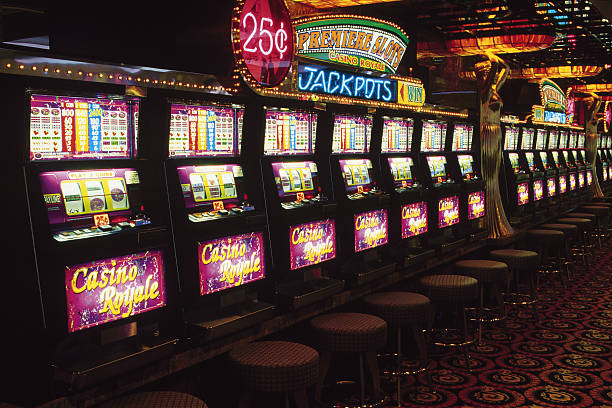



LOBBY
Casino catalogue
Browse slot, table, fishing and crash categories through one catalogue. Search by a complete game name when you already know which title you want to open.

esse55 puts Live Roulette Wheel, Gates of Fortune and football markets beside DANA and QRIS status in one account.

and Indonesia payment rails are described as service context, where local law permits.

Cards, tables, FAQ and policy pages stay readable on small screens so you can find information on any device.
Move between slots, streamed dealer tables, fishing rooms and sports markets without returning to a separate menu or cashier page.
Recognisable releases from Pragmatic Play, PG Soft and Habanero sit alongside CQ9, Joker and Spadegaming titles within our searchable casino catalogue.
DANA, OVO, GoPay and QRIS appear as local wallet routes in our cashier where supported.
Several home areas remain useful after your first session. The game catalogue shows categories and search controls, while the cashier records wallet status and transaction stages.
Browse slot, table, fishing and crash categories through one catalogue. Search by a complete game name when you already know which title you want to open.
See whether a DANA, OVO, GoPay or QRIS instruction is awaiting action, received or being checked. Keep the transaction reference available if you contact us.

Check your verified phone number, password route and account contact details from the profile area. Update inaccurate details before requesting a withdrawal or account change.

Reach live chat for an active session issue or use email when you need to attach a receipt. The contact panel shows which route is currently available.
A clear phone check comes before account access, so you know which number is connected to your profile and wallet activity.
Enter the requested account details, choose a private password and complete the phone verification prompt. We show the next account step on screen instead of sending you through several disconnected pages.
Confirm your phone number and profile details before using the cashier. One account connects your casino lobby, sportsbook and supported local wallets, making account activity easier to follow.
Use the category tabs for slots, live casino, fishing games and sports markets. Search also helps you reach titles such as Spaceman Crash Play without scanning every room.
Keep your password private, finish phone verification and sign out after using a shared device. Our account screen gives you a visible route to support when access does not look familiar.
Live chat is the closest route when a current login or cashier stage stalls. Email is more suitable when your question needs a receipt, transaction reference or longer explanation, while mobile help keeps the contact panel readable on a smaller screen. The panel displays current channel availability and any service-hour notice rather than making you guess. Before contacting us, note your account identifier, selected rail and transaction reference, but never send your password through chat or email.
Use live chat for an active login session, missing lobby path or wallet-status question. The contact panel shows whether the channel is currently open.
Choose email when you need to attach a DANA, OVO, GoPay, QRIS or bank receipt. Include the transaction reference and account identifier, not your password.
Open the help panel from your phone browser without leaving the account area. It keeps login, cashier and contact routes within the same mobile navigation.
Our browser layout adapts to phones and tablets without requiring a separate application. After login, the lobby tabs remain close to search, account details and cashier status.

Phone verification ties initial account access to the contact number you provide.
A connected home page saves you from searching unrelated pages for game names, wallet status or account help.
Game behaviour differs between slots, live tables, crash rooms, fishing arenas and sports markets.
Open the title panel to check any supplied return figure, feature rules and bet range before starting.
Read the displayed table limits, game rules and settlement wording for baccarat, roulette, Dragon Tiger or blackjack.
Check the round mechanic and cash-out control shown for titles such as Spaceman Crash Play.
Confirm the control scheme, stake behaviour and room rules before entering Fishing War Quick Arena.
Read selection, price and settlement terms before confirming football, badminton or basketball activity.
Our home path is designed for supported regions across Indonesia, including access from Jakarta and Surabaya through current phone, tablet and computer browsers. Availability is not defined by city alone: account access depends on local law, regional eligibility and the details submitted during verification. If the home page does not load correctly, check your browser connection first, then use the contact panel for account-specific help. We do not ask you to install an unlisted application to reach the lobby.
The home screen prioritises things you can act on: casino search, live-table access, sports categories, wallet status, account controls and contact routes.
These answers cover the practical checks commonly made from the esse55 Home page: account access, available lobby areas, local wallet routes, mobile behaviour, support and regional availability. Use the home navigation for current game and cashier status because account-specific details may differ. Policy links remain in the footer, and the contact panel is the correct route when a phone check, login session, receipt or withdrawal stage requires attention.
Begin with the phone verification prompt, then use the home tabs to choose casino, sportsbook or cashier.
Complete the phone prompt connected to your profile. Correct contact details help us identify the account when login or cashier…
Open slots, live casino, fishing, crash games or sports markets from the category tabs.
Select only a rail displayed for your account, follow its current instructions and retain the transaction reference until its status…
Provide your account identifier, selected rail and transaction reference through live chat or email.